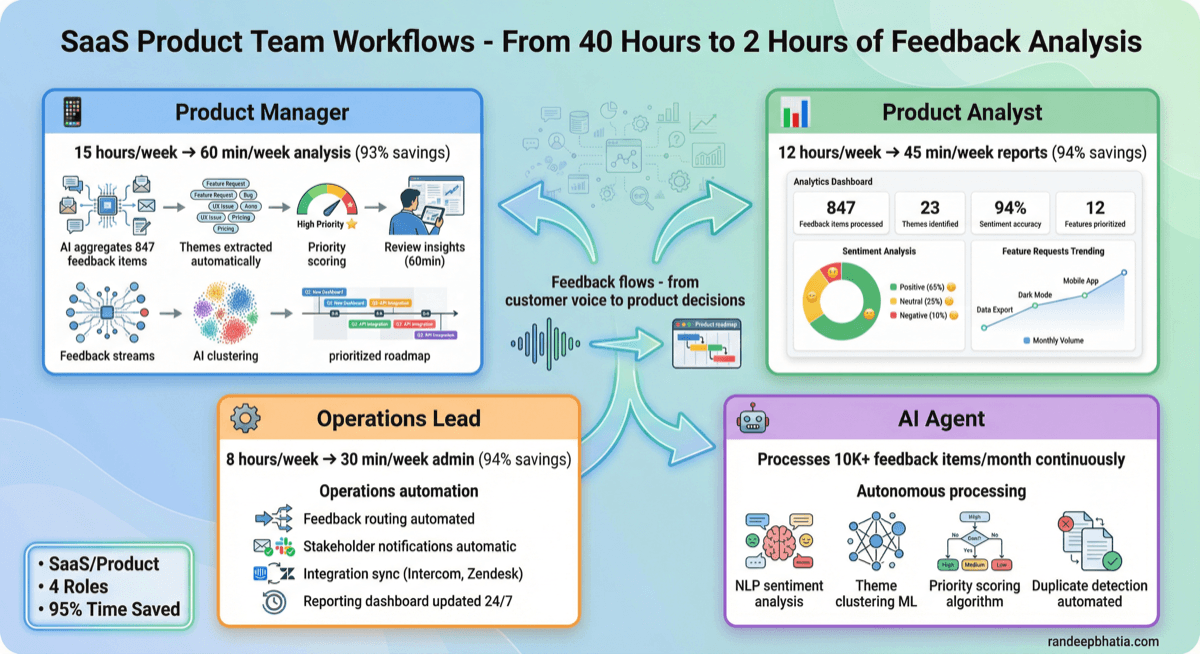
Same feedback. Four different workflows.
Tuesday you saw the automation. Today you see how product managers, analysts, ops leads, and AI agents each use it differently. Each role has unique needs, views, and wins.
Team Workflows
See how different roles use the same system to transform their daily work.Click each role below
Before Automation
With Automation
Workflow Process
Impact By The Numbers
"I finally have time to talk to customers instead of just reading about them."
β Product Lead, 6 years B2B SaaS
How Roles Work Together on One Critical Feature Request
Watch how the system routes this from detection to roadmap decision in 90 minutes instead of 3 weeks.
High-value customer requests API rate limit increase (mentioned 47 times across 3 months)
β¨ Scroll here to watch the workflow
Team-Wide Impact
| Metric | Before | After | Improvement |
|---|---|---|---|
| Weekly Processing Time | 75 hours (combined team) | 6 hours (human review only) | 92% reduction |
| Theme Identification Accuracy | 60% (inconsistent manual coding) | 87% (validated AI patterns) | +27 percentage points |
| Time to Action (urgent items) | 3-5 weeks (buried in noise) | 90 minutes (auto-flagged) | 99% faster |
| Feedback Volume Handled | 200 items/week (team capacity) | 600 items/week (same team) | 3x throughput |
Getting Your Product Team On Board
PMs think AI will miss nuanced customer needs
Run parallel for 2 weeks: manual themes vs AI themes. Show 87% overlap + AI catches 23% PM missed due to volume.
PMs realize AI finds patterns they don't have time to see. Trust builds through comparison.
Analysts worried about job security
Show time breakdown: 80% data prep (AI handles) vs 20% insight generation (human value). Frame as 'spend 100% of time on insights.'
Analysts excited to do actual analysis instead of spreadsheet wrangling. Retention improves.
Ops concerned about losing control of process
Dashboard shows every AI decision with confidence scores. Ops can override anything. Audit trail for all actions.
Ops loves visibility they never had before. Control increases, not decreases.
Leadership skeptical of ROI
Calculate current cost: 75 hours/week Γ $75/hour = $5,625/week wasted. Automation cost: $5K/month. Payback in 22 days.
CFO approves immediately when seeing 4-week payback period.
Engineering worried about integration complexity
Show pre-built connectors for Intercom, Zendesk, Slack, email. Setup takes 2 hours, not 2 weeks.
Engineering surprised how simple it is. No custom code needed for 90% of cases.
Investment & ROI
Typical payback in 22-30 days through time savings
Pricing
ROI Calculator
Proven Results
From Demo to Live in 3 Weeks
From demo to production in just 3 weeks
- Connect feedback sources (Intercom, Zendesk, Slack, email, surveys)
- Import 3 months historical data for baseline
- Configure your theme taxonomy (or use our templates)
- Set up role-specific dashboards
- Train each role on their workflow (2hr sessions per role)
- Run parallel: manual process + automation side-by-side
- Compare results: accuracy, time savings, missed items
- Gather feedback, adjust theme taxonomy and routing rules
- Roll out to all users with confidence
- Daily check-ins for first week (we monitor for issues)
- Measure baseline metrics vs new performance
- Celebrate wins (you'll have data to show leadership)
Enterprise deployments with custom ML training may take 4-6 weeks. We'll scope your timeline during demo.
2026 Randeep Bhatia. All Rights Reserved.
No part of this content may be reproduced, distributed, or transmitted in any form without prior written permission.