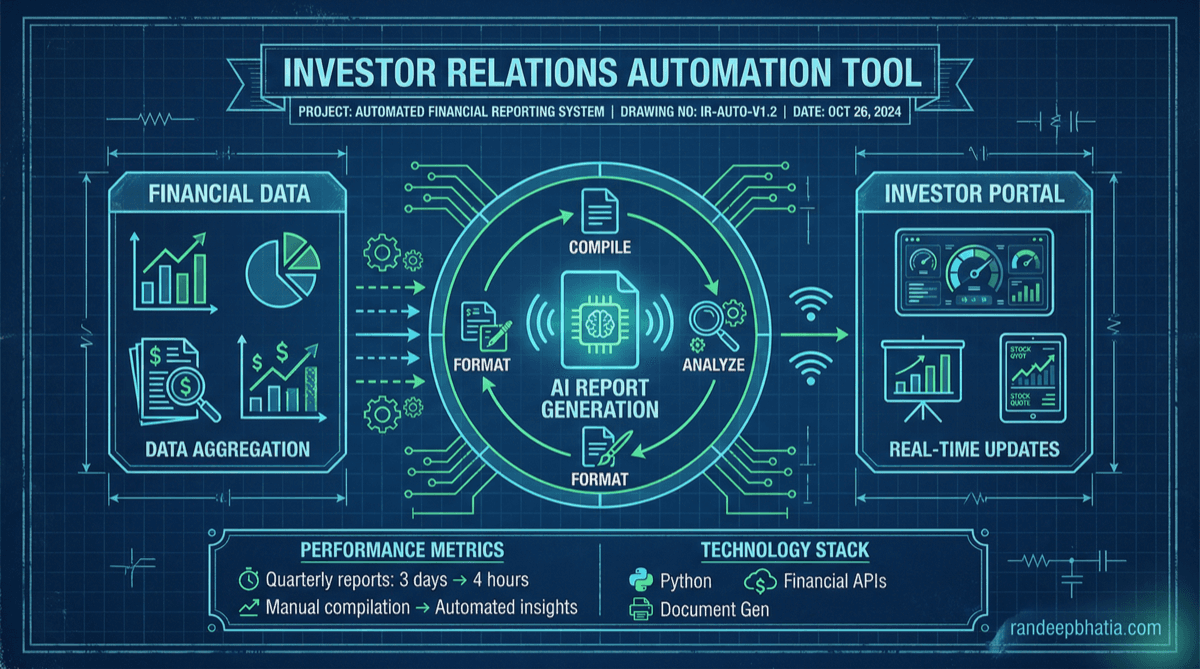
The Problem
On Monday you tested the 3 prompts in ChatGPT. You saw how extraction β validation β generation works. But here's reality: you can't manually craft 50 personalized investor updates every month. One founder spending 8 hours per update cycle? That's $400/month in opportunity cost (assuming $50/hr founder time). Multiply that across quarterly board decks, monthly reports, and ad-hoc investor asks, and you're looking at $4,800/year just on investor communication. Plus the inconsistency that leads to confused investors and missed follow-ups.
See It Work
Watch the 3 prompts chain together automatically. This is what you'll build.
Watch It Work
See the AI automation in action
The Code
Three levels: start simple, add reliability, then scale to production. Pick where you are.
When to Level Up
Simple API Calls
- Manual trigger via CLI or web form
- Single update per period (monthly/quarterly)
- Basic extraction β validation β generation
- No database, results saved to JSON files
- Copy-paste output into email client
Add Error Handling & Segments
- Automatic retries with exponential backoff
- Investor segmentation (VCs, angels, strategic)
- Customized updates per segment
- Logging and monitoring
- Email preview before sending
- Basic analytics (open rates, click tracking)
Production System with Database
- PostgreSQL for data persistence
- Redis caching for fast retrieval
- Celery for async task processing
- Scheduled updates (monthly/quarterly auto-send)
- SendGrid integration for email delivery
- Investor portal for self-service access
- Advanced analytics dashboard
- Multi-company support (for VCs managing portfolio)
Enterprise Platform
- Multi-tenant architecture
- Custom branding per company/fund
- AI-powered Q&A chatbot for investors
- Real-time metrics dashboards
- Integration with cap table management (Carta, Pulley)
- Compliance tracking (SEC filings, GDPR)
- White-label investor portal
- Dedicated support and SLA
Fundraising-Specific Challenges
Edge cases you'll hit when automating investor relations. Here's how to handle them.
Confidential Metrics & Data Redaction
Implement tiered access control. Tag metrics with sensitivity levels (public, investor-only, board-only) and filter before generation.
# Python: Redact sensitive metrics by investor tier
def filter_by_access_level(metrics: Dict, investor_tier: str) -> Dict:
sensitivity_map = {
'public': ['mrr', 'customer_count'],
'investor': ['mrr', 'customer_count', 'churn_rate', 'runway'],
'board': ['mrr', 'customer_count', 'churn_rate', 'runway', 'burn_rate', 'cash_balance', 'ltv_cac']
}
Handling Missing or Incomplete Data
Explicitly mark missing fields as 'N/A' or 'TBD' in extraction. Add validation step to flag hallucinations. Show 'Data not yet available' in update rather than fake numbers.
# TypeScript: Validate against hallucination
function validateExtraction(extracted: any, rawData: string): boolean {
// Check if extracted numbers appear in raw data
const numbersInRaw = rawData.match(/\d+/g) || [];
const numbersInExtracted = JSON.stringify(extracted).match(/\d+/g) || [];
for (const num of numbersInExtracted) {
if (!numbersInRaw.includes(num)) {Investor-Specific Questions & Context
Store investor profiles with their focus areas and past questions. Use this context in Q&A generation. Personalize answers based on investor history.
# Python: Personalized Q&A generation
def generate_personalized_qa(
question: str,
investor_profile: Dict,
company_data: Dict
) -> str:
context = f"""
Investor: {investor_profile['name']}Timing & Market Sensitivity
Add a 'market sentiment check' step before sending. Scrape news APIs for relevant events. Hold updates if negative sentiment detected, notify founder for manual review.
# Python: Market sentiment check before sending
import requests
from datetime import datetime, timedelta
def check_market_sentiment(company_name: str, industry: str) -> Dict:
# Check news APIs for negative sentiment
news_api_key = os.getenv('NEWS_API_KEY')
Version Control & Update History
Store all past updates in database with version history. Add a 'variance explanation' section that automatically compares current vs previous period and flags significant changes.
# Python: Automatic variance detection and explanation
def generate_variance_explanation(
current_metrics: Dict,
previous_metrics: Dict,
threshold: float = 0.15 # 15% change
) -> List[Dict]:
variances = []
Adjust Your Numbers
β Manual Process
β AI-Automated
You Save
2026 Randeep Bhatia. All Rights Reserved.
No part of this content may be reproduced, distributed, or transmitted in any form without prior written permission.